Record a loop
- To record a new loop, press the REC button once.
- To stop recording the loop, press the REC button again once. The loop will play indefinitely.
Giant Dove Looper is a live looper audio effect plugin with flexible and precise automation capabilities.
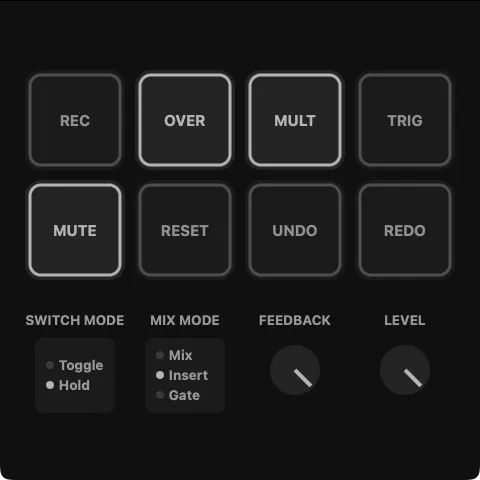
The length of a loop can be made shorter or longer using the MULT button.
Pressing the UNDO button will go back to the previous recording in the loop history. Press the REDO button to move forward in the history. Pressing UNDO repeatedly will eventually bring you back to the point before your first recording, silencing the output.
The Record, Overdub, and Multiply operations can work in one of two switch modes: Toggle or Hold. In Toggle mode, the first press will start recording. The second press will end the recording. In other words, it is a latching switch. In Hold mode, recording starts when the button is pressed and continues until the button is released. In other words, it is a momentary switch.
Set mix mode to Mix to blend the input signal and the loop. Mix mode is best for a traditional live looping effect when you want to hear your dry signal at all times.
Set mix mode to Insert to mute the input signal while the loop is playing. Insert mode is best for glitch, stutter, or beat-repeat style effects.
Set mix mode to Gate to mute the input signal at all times. Gate mode is useful when using the looper as a send effect.
Press the TRIG button to immediately restart playback from the loop's starting point.
Press the RESET button to stop playback and reset the looper.
If you would like to report feedback of any kind, please write to mail@giantdove.ca.